Top Ways your Kids Get Around Your Computer Rules October 19 2011, 1 Comment
[caption id="attachment_2732" align="alignleft" width="240" caption="Photo By Wade"]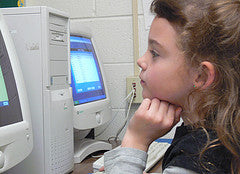 [/caption]
If there’s one single fact that has stayed constant throughout time it is that children will always want to do what they are not allowed to do. This has never been more true than it is today, but it has also never been more dangerous.
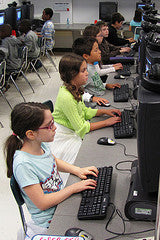
Parents institute computer rules to keep their children safe from Internet predators and inappropriate material. They encourage them to focus on learning rather than chatting on Facebook with their friends. As children have grown up with computers, they can often be one step ahead of you when it comes to using technology and computers. Making sure they follow your rules can be difficult with all the tricks they use.
Here are a few so you can stay a step ahead and better protect your kids.
Deleting Browsing History
So, your child has been on the computer for hours, and when you ask them what they are doing, they innocently reply “working on my science project about a miniature load cell.” When they go to bed, you quickly check the search history and see nothing but Google searches and pages on “load cell calibration.”
This doesn’t mean that you have nothing to worry about – your child could easily have been on dozens of different websites and simply deleted the sites from the history. Look at the time-stamps of the visited websites – were they all opened at the start of the browsing session and there is nothing from the final two hours? Your child was probably breaking the rules.
You can find free software online that will help you recover deleted browsing history and see what your child has been up to.
Multiple Online Accounts
You may require your child to tell you the passwords to their email, Facebook and Twitter accounts so that you can make sure they are not saying anything inappropriate about themselves online. This does not mean that your worries are over.
Your child may well have multiple accounts for social media and email and give you the passwords to the one that is filled with innocuous, everyday material. Their private conversations with friends will be kept on other accounts that you have no idea even exist.
If you are concerned about this as a possibility, you could install a keylogger on the computer. This will let you see exactly what your child has been typing.
Disabling Parental Supervision Software
You may have installed a program like NetNanny to limit the kinds of sites that your child can visit. Unfortunately, a simple Google search brings up multiple sites that tell your child exactly how to disable or uninstall this software. Reinstalling your software every so often can set it back to your original settings, but the best way to make sure your child is not visiting such websites is to only allow them to use the computer when they are in a room with the rest of the family.
This is a guest post by James Tennant who blogs how to keep your kids safe while online, even if you think they are researching loadcell and miniature load cell developments.